
Every business owner knows this story. An enquiry comes in through the website at 7:40pm. You’re eating dinner, or you’re still on a job, or you simply don’t see it. You reply the next morning, feeling prompt. The prospect never writes back.
They weren’t being rude. They just booked whoever answered first.
This is the most fixable problem in small business sales. You don’t need more leads. You need to stop leaking the ones you already get. In this post we’ll show you how to automate lead follow-up end to end: the exact flow, the messages to send, the tools involved, and which parts should stay human.
You don’t need expensive software or a sales team. You need a system that replies in under a minute, every time, and keeps nudging politely until a person takes over or the lead goes cold.
To automate lead follow-up, connect your enquiry forms to a system that instantly texts and emails every new lead, saves them in a CRM, and sends reminder messages over the next few days. A person then takes over the real conversation. The goal is simple: every lead gets a reply in under a minute, day or night.
Why speed decides who gets the job
Think about how people buy local services and big-ticket help. They search, they open three or four websites, they send enquiries to two or three of them. Then they wait.
The first business to respond sets the tone. That business looks organised, keen, and easy to deal with. The second business, replying hours later, is already playing catch-up — if the prospect is still looking at all, because often the decision is already made.
This isn’t about pressure or pushy sales tactics. It’s about being present at the moment someone is ready to talk. A reply that arrives while the person is still sitting with their phone in their hand starts a conversation. A reply that arrives tomorrow morning starts nothing.
Speed also matters because memory fades fast. Twenty minutes after sending an enquiry, the prospect remembers exactly what they asked and why. Two days later, they’ve half forgotten they contacted you. Your careful reply lands with a shrug.
If your website isn’t converting visitors in the first place, fix that alongside this — our post on the signs your website is losing you customers covers the common culprits.
The automate lead follow-up flow, step by step
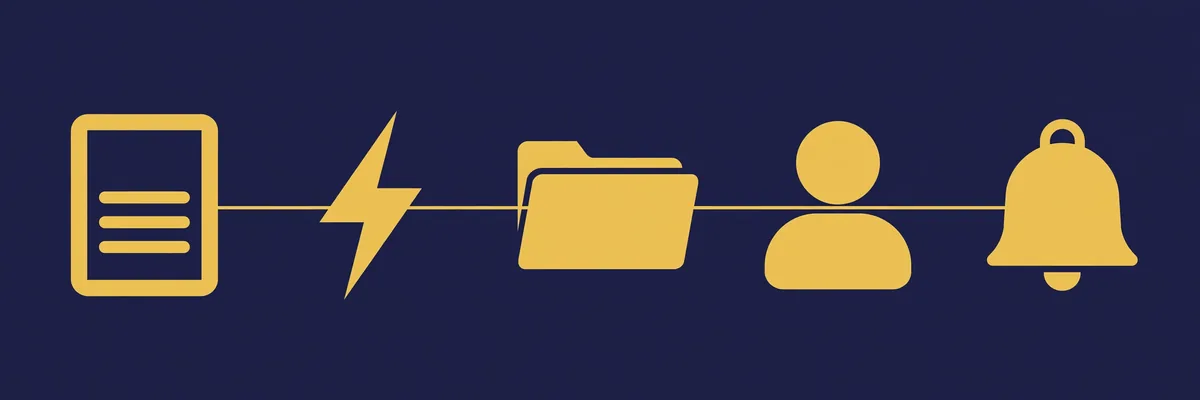
Here’s the flow we set up for clients. Five stages, all automatic until stage four.
Stage 1: The enquiry arrives. Someone fills in your website form, messages your page, or requests a callback. Whatever the source, it feeds into one place. If your enquiries arrive in five different inboxes, unifying them is job one.
Stage 2: Instant reply, within a minute. The lead immediately gets a text message and an email. Not a cold “Your enquiry has been received, reference 4821” — a warm, human-sounding message that uses their name, mentions what they asked about, and tells them what happens next. If it’s out of hours, the message says when a person will be in touch.
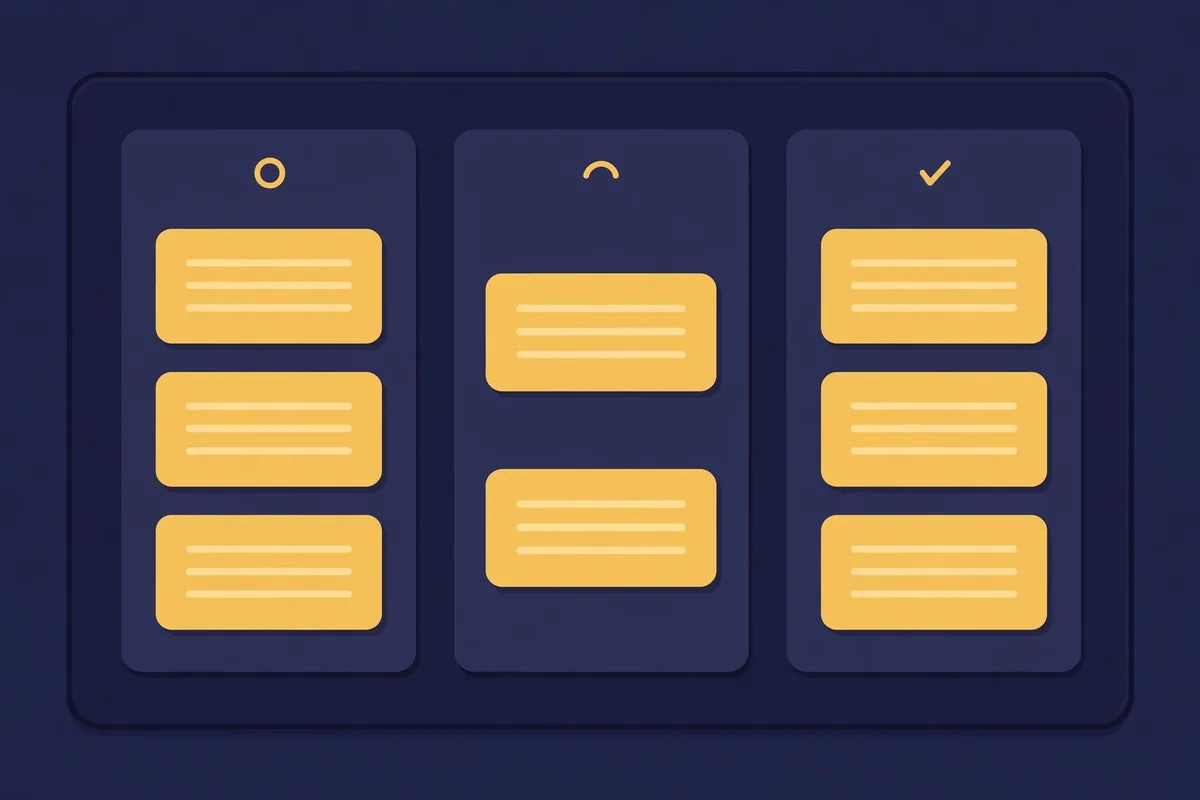
Stage 3: The lead lands in your CRM. Name, number, email, what they want, where they came from. No more leads living in a forgotten inbox or scribbled on a notepad. Every lead gets an owner and a status: new, contacted, quoted, won, lost.
Stage 4: A human takes the conversation. You or your team get a notification the moment the lead arrives. The automated messages buy you time; they don’t replace the conversation. When the prospect replies to the text, a person picks it up from there.
Stage 5: Reminders until there’s an answer. If the prospect doesn’t reply, the system sends a few spaced follow-ups over the next days. Day one, a short check-in. Day three, a helpful nudge. Day seven, a polite last try. Then it stops. Persistence without pestering.
That’s the whole machine. Once it’s built, it runs for every lead, including the ones that arrive at midnight on a Sunday.
What the messages should actually say
Automation fails when the messages sound like they came from a robot in a call centre. A few rules keep them human.
Use their name and their words. “Hi Sam, thanks for asking about the kitchen refit” beats “Dear Customer, thank you for your valued enquiry.”
Say what happens next, with a time. “Alex will call you before 10am tomorrow” is reassuring. “We will respond in due course” is not.
Make replying effortless. The message should invite a one-word answer or a tap. “Reply YES and we’ll call you” gets responses. A long form to fill in doesn’t.
Keep it short. Two or three lines per text. Emails can carry a little more, but most follow-up emails are read on a phone, in a hurry.
And sign off like a person. Your name or a team member’s name, your business name, done. Every message should also be easy to stop — a clear “Reply STOP to end messages” on texts is both polite and, in many places, legally required. Google’s business messaging guidance is worth a read if you message customers through your Google profile too.
The tools you need (nothing exotic)
You need four building blocks, and many businesses already own two of them.
A form or enquiry source that plays nicely with others — your website form, a booking page, or your Facebook page.
A CRM to hold the leads. This can be a proper CRM or, for very small teams, a well-kept shared spreadsheet as a starting point. The CRM is the memory of the system. It stops leads falling through cracks, which is the entire point.
A messaging tool that can send texts and emails automatically. Texts get read quickly; emails carry detail. Use both. WhatsApp works well too in regions where customers live on it — our post on the AI chatbot for business covers chat-based options.
A connector that ties them together and runs the timing. This is the automation layer: when a new row appears, send this, wait two days, send that, stop if they reply.
The pieces matter less than the flow. Expensive tools wired up badly lose to simple tools wired up well.
What to automate, and what to keep personal
Automate speed and consistency: the first reply, the logging, the reminders, the booking links, the review request after a job. These are tasks where fast and reliable beats brilliant.
Keep personal: the first real conversation, the quote, any negotiation, any complaint, anything where the prospect is spending serious money. People can tell when a milestone conversation is canned, and it costs you trust at exactly the wrong moment.
A good rule: automate until money or feelings are involved. Then a human steps in — informed, because the system has already gathered the basics.
This is the same balance we apply across our AI automation services: machines handle the chasing and the admin, people handle the judgement.
Mistakes that quietly break the system
We’ve rebuilt enough broken follow-up setups to know the usual killers.
The instant reply that nobody follows up. Automation sends the friendly first text, everyone relaxes, and no human ever calls. The system must alert a named person, not a general inbox nobody watches.
Messages that never stop. If your reminders keep going after the prospect has replied, booked, or said no, you’ve built an annoyance machine. Every sequence needs stop conditions.
Buying leads into a broken pipe. More enquiries through a leaky system just means more people ignored. Fix the follow-up first, then spend on marketing. The businesses that do this in the right order feel the difference within weeks.
Nobody owning the CRM. If checking the pipeline isn’t someone’s actual job, statuses go stale and the data rots. Ten minutes a day is enough, but it has to be someone’s ten minutes.
Not testing it. Send a test enquiry through your own form every month. Time the reply. Read it on your phone. Systems break silently; the test is how you find out.
Finally, not measuring. Once the system runs, look at two numbers monthly: how many leads arrived, and how many got a human conversation. If the first number grows but the second doesn’t, your handoff is broken, not your marketing. That one check tells you more about your sales health than any dashboard full of charts.
Start this week
You don’t have to build the full machine in one go. Start with stage two: an instant, human-sounding reply to every new enquiry, even if you log the leads by hand for now. That single change rescues more sales than most marketing spending.
Then add the CRM, then the reminders. Within a few weeks you’ll wonder how you ever ran on memory and good intentions.
If you’d rather have it built for you, that’s exactly the kind of system we set up — see our services or contact us and tell us how your enquiries arrive today. We’ll map the flow for your business and give you a straight quote.
Frequently Asked Questions
How fast should the first follow-up message be?
Under a minute is the target, and automation makes that easy. The prospect is still looking at their phone. A reply in that window starts a conversation; a reply tomorrow usually doesn’t.
Is automated follow-up spammy?
Not if it’s done properly. The person asked you to contact them. Short, personal messages with a clear way to stop are welcome. It only becomes spam when messages are generic, endless, or sent to people who never enquired.
Do I need a CRM to automate lead follow-up?
You need somewhere reliable for leads to live. A real CRM is best once you have steady volume. Very small businesses can start with instant replies plus a tidy spreadsheet, then move to a CRM when the volume justifies it.
Should the first message be a text or an email?
Both, if you have a mobile number. Texts get seen almost immediately; emails give the details a place to live. Keep the text short and let the email carry anything longer, like a booking link or price guide.
What if a lead replies to the automated message?
A person takes over straight away. The automation should stop the moment a human conversation starts, and the system should notify whoever owns that lead so the reply isn’t missed.